Set Your Spread: Express Flow
The express flow is the quickest way to create a deposit and set your spread. One currency, one platform, done.
-
Open the Sell USDC Screen
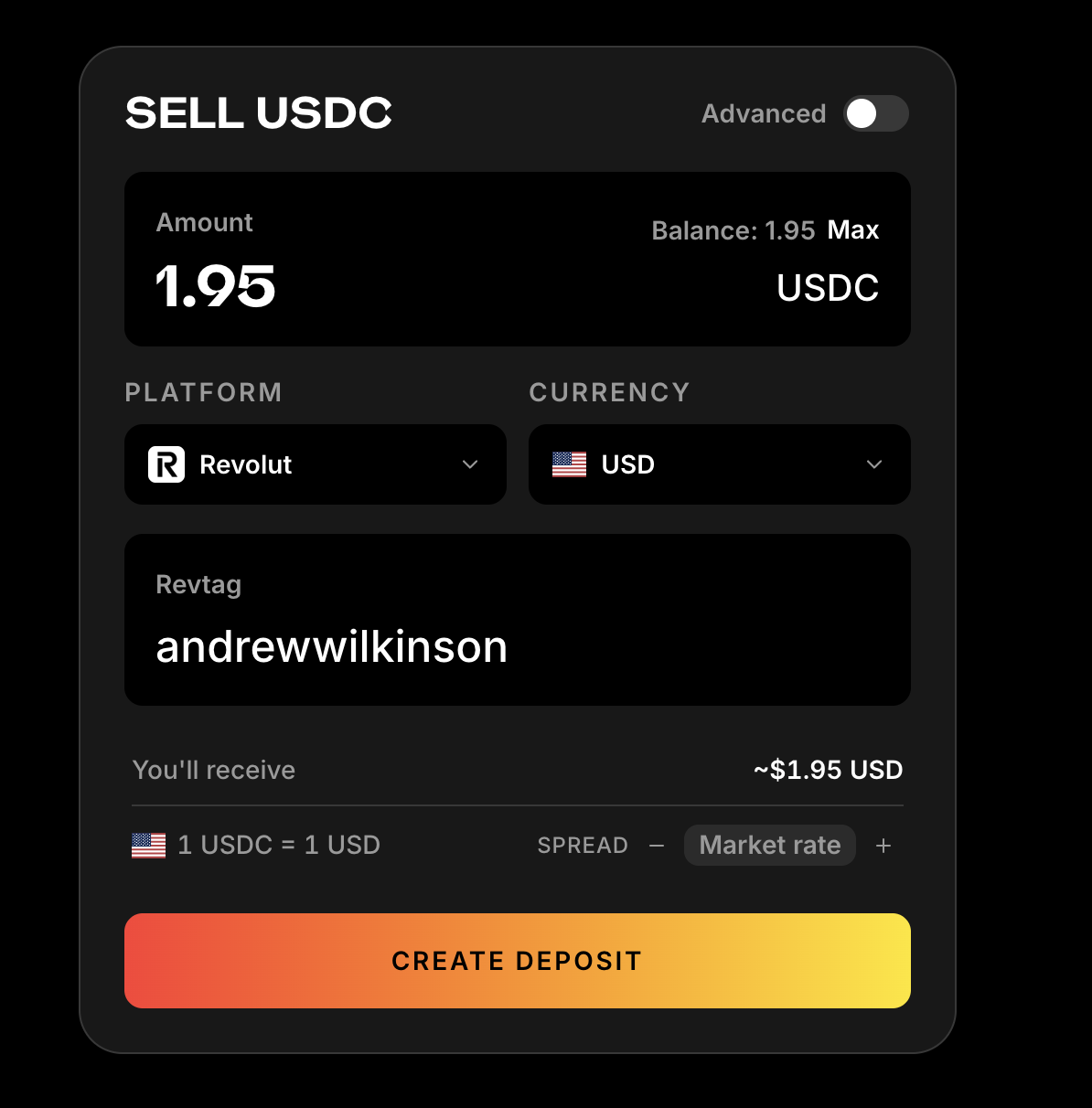
Go to peer.xyz and click Sell. Make sure the Advanced toggle in the top right is off.
-
Enter Your Deposit Amount
Type how much USDC you want to deposit, or click Max to use your full balance.
-
Choose Your Platform and Currency
Select your payment platform (Revolut, Wise, Cash App, etc.) and currency from the dropdowns.
-
Enter Your Payee Details
Enter your account details for the selected platform (e.g. your Revtag for Revolut).
-
Set Your Spread
At the bottom of the screen, you'll see your current rate (e.g. "1 USDC = 1 USD") with SPREAD +/- buttons.
- Tap + to increase your spread above market
- Tap - to go below market
- The rate updates as you adjust
-
Create Deposit
Click Create Deposit, approve the transaction in your wallet, and you're live.
Updating Your Spread Later
To change your spread after creating a deposit:
- Go to peer.xyz and click the Sell tab
- Click on your deposit to view details
- Edit the currency/provider you want to change (this takes you back to the deposit screen)
- Adjust your spread with the +/- buttons
- Confirm the update
Your new spread takes effect immediately for all future orders.
➡️ Want more control? Try the Advanced Flow